Please click here to request a download link for EPMon2025.
Extract the downloaded ZIP file to a preferred location. Read the “ReadMe” file included in the extracted folder for more information.
No installation is required for EPMon2025. Simply double-click the executable file “EPMon2025.exe” to launch the application. For detailed instructions on how to use the software, please refer to the Help file.
Operating System
・EPMon2025 is a simple measurement and control software specifically designed for Windows 11.
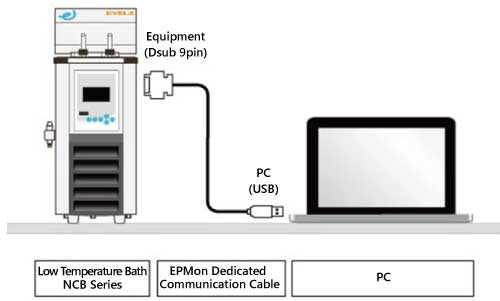
Communication Cable Connection
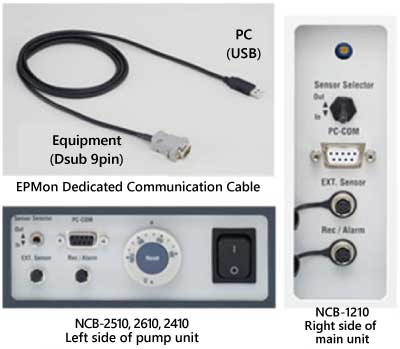
・The connections for EPMon dedicated communication cable (Cat. No. 269050)
Connect the computer (USB) side of the EPMon dedicated communication cable to the USB port of the computer on which EPMon is installed.
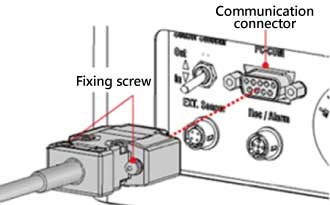
Connect the equipment (Dsub 9pin) side of the EPMon dedicated communication cable to the communication connector on the equipment.
Tighten the Dsub 9pin fixing screws to secure the EPMon dedicated communication cable to the equipment.